Change Package Name
You can change it easily from Android Studio. Here are the steps:
- Expand App. Then expand java. Then expand com and select FLIXOO (or your current root package component) and right-click on it.
- Select Refactor. Then select Rename.
- Click on Rename package and put your new name in the pop-up field. Then click Refactor.
-
From the bottom, reconfirm the refactor. To confirm, click Do Refactor.
Allow a minute to let Android Studio update all changes.
-
Now open your
build.gradle(Usually the one under 'app' or 'mobile'). Update theapplicationIdto your new Package Name and Sync Gradle, if it hasn't already been updated automatically.
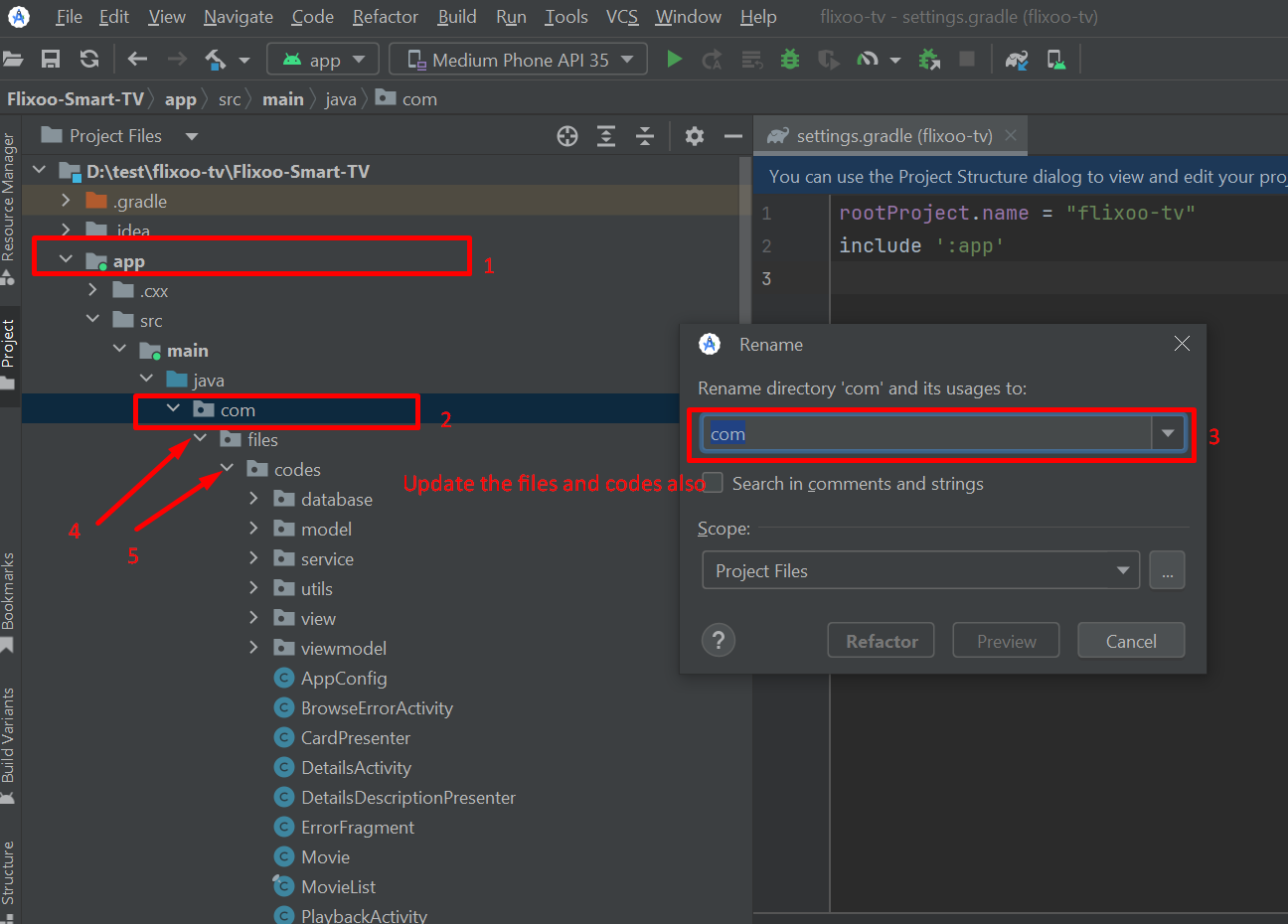
Note: When renaming a high-level component like
comin Android Studio, it might give a warning. In such a case, select Rename All.