Change App Name
To change the app name, you need to modify configuration files for both Android and iOS:
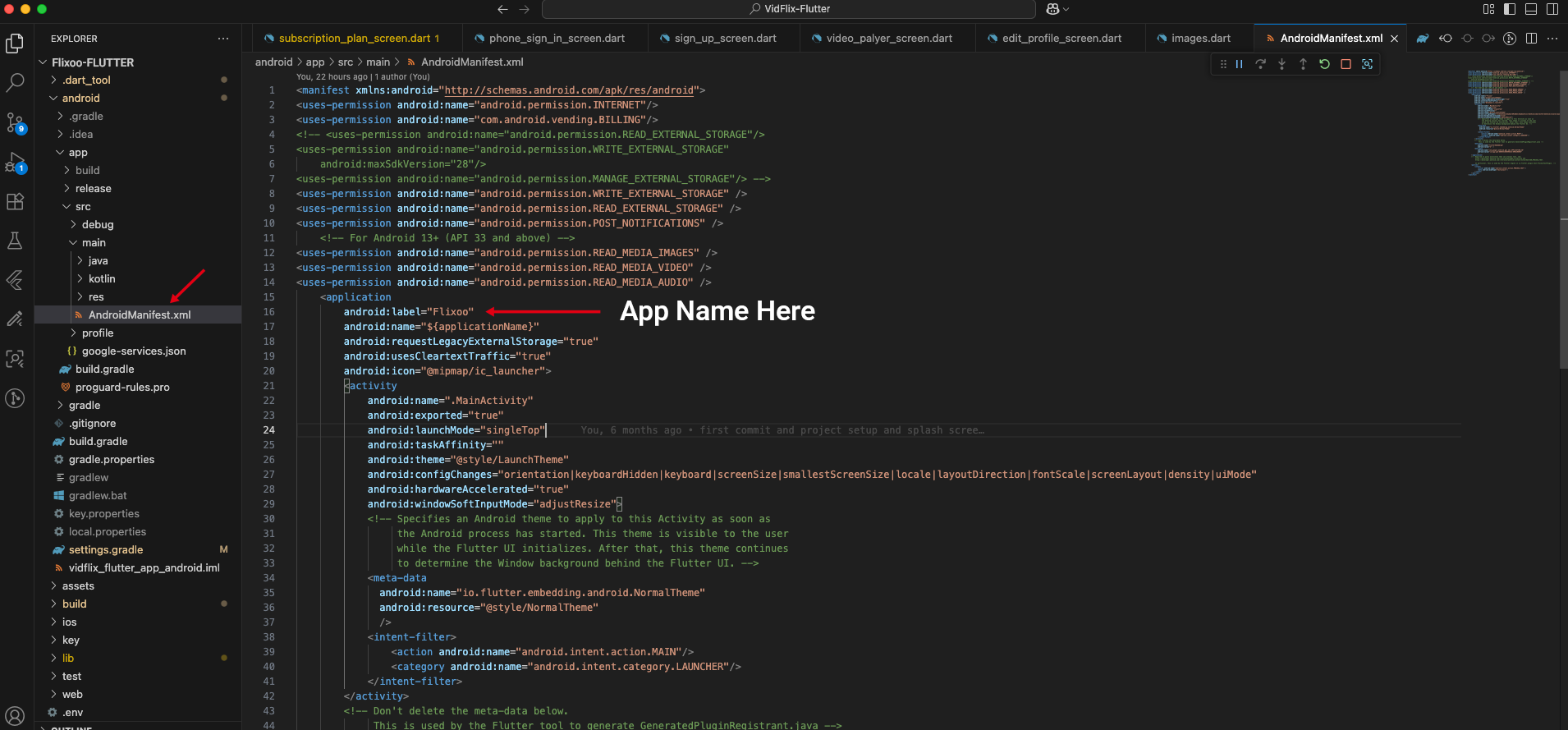
Android:
1. Open your Flutter project.
2. Navigate to android/app/src/main/AndroidManifest.xml.
3. Locate the android:label attribute within the <application> tag.
4. Replace its value with your desired app name (e.g., android:label="Your New App Name").
iOS:
1. Open your Flutter project.
2. Navigate to ios/Runner/Info.plist.
3. Locate the CFBundleName key.
4. Replace its string value with your desired app name (e.g., <string>Your New App Name</string>).
After making these changes, rebuild your app to see the new name.