Change Splash Screen Logo
To change the splash screen logo in your Flutter app, follow these steps:
-
Prepare Your Logo:
- Create your splash screen logo in PNG format.
- The recommended size is 461x176 pixels, but it can be adjusted.
- Name your logo file
splash_logo.png(or a consistent name of your choice).
-
Replace the Logo File:
- Open your Flutter project.
- Navigate to the
assets/imagesdirectory (or where your images are stored). - Delete the existing splash screen logo file.
- Copy your new logo file into the same directory.
-
Update the Code (if necessary):
- Search for the code that displays the splash screen, often in a file like
splash_screen.dart. - Look for a line referencing the splash screen image, e.g.,
Image.asset('assets/images/splash_logo.png'). - Ensure the path and filename in the code match your new logo file.
- Search for the code that displays the splash screen, often in a file like
(Please note that the file paths and variable names in your project may be different. The image below shows an example of what to look for.)
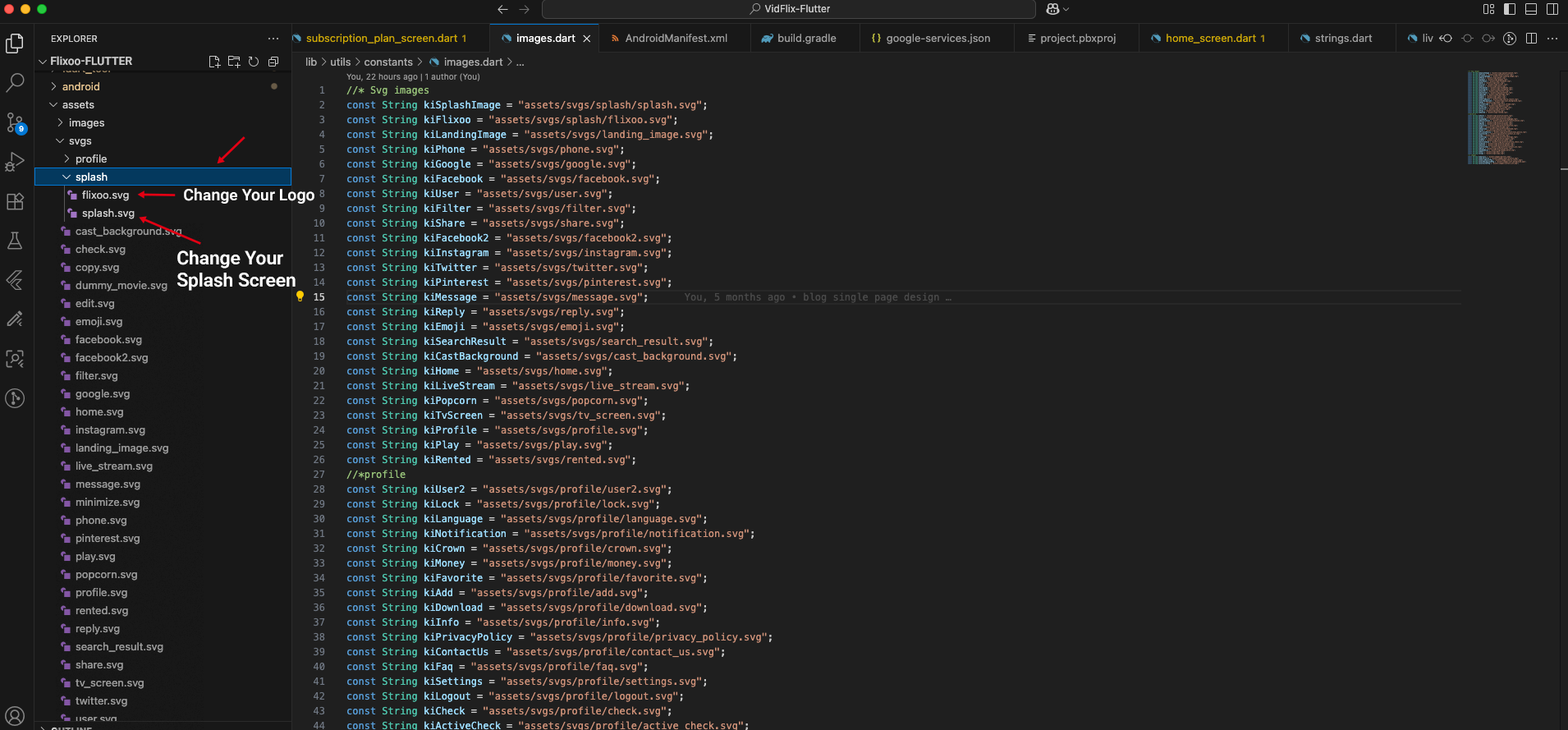
After replacing the logo file and updating the code if necessary, rebuild your app to see the new splash screen.